
CodeSwordsman Web Checker
An all-in-one network and host monitoring tool for dev, QA, ops and tech-ops teams. Check IPs, ports, and URLs, and monitor CPU, memory, disk, network, and services 24/7, with one-click import and export of monitor configurations for easy backup and team reuse. 100% free with no ads, plus SSL certificate validation, multi-channel alerts, and desensitized result sharing. Only scan IPs and domains you are authorized to test; unauthorized scanning is prohibited and the user bears all liability.

100% Free · No Ads
No popups, no in-app purchases, no hidden fees. Enjoy all features for free.
Completely Free
All features are free to use without any restrictions
Lightweight & Efficient
Extremely low resource usage with fast detection response
Enterprise-grade Security
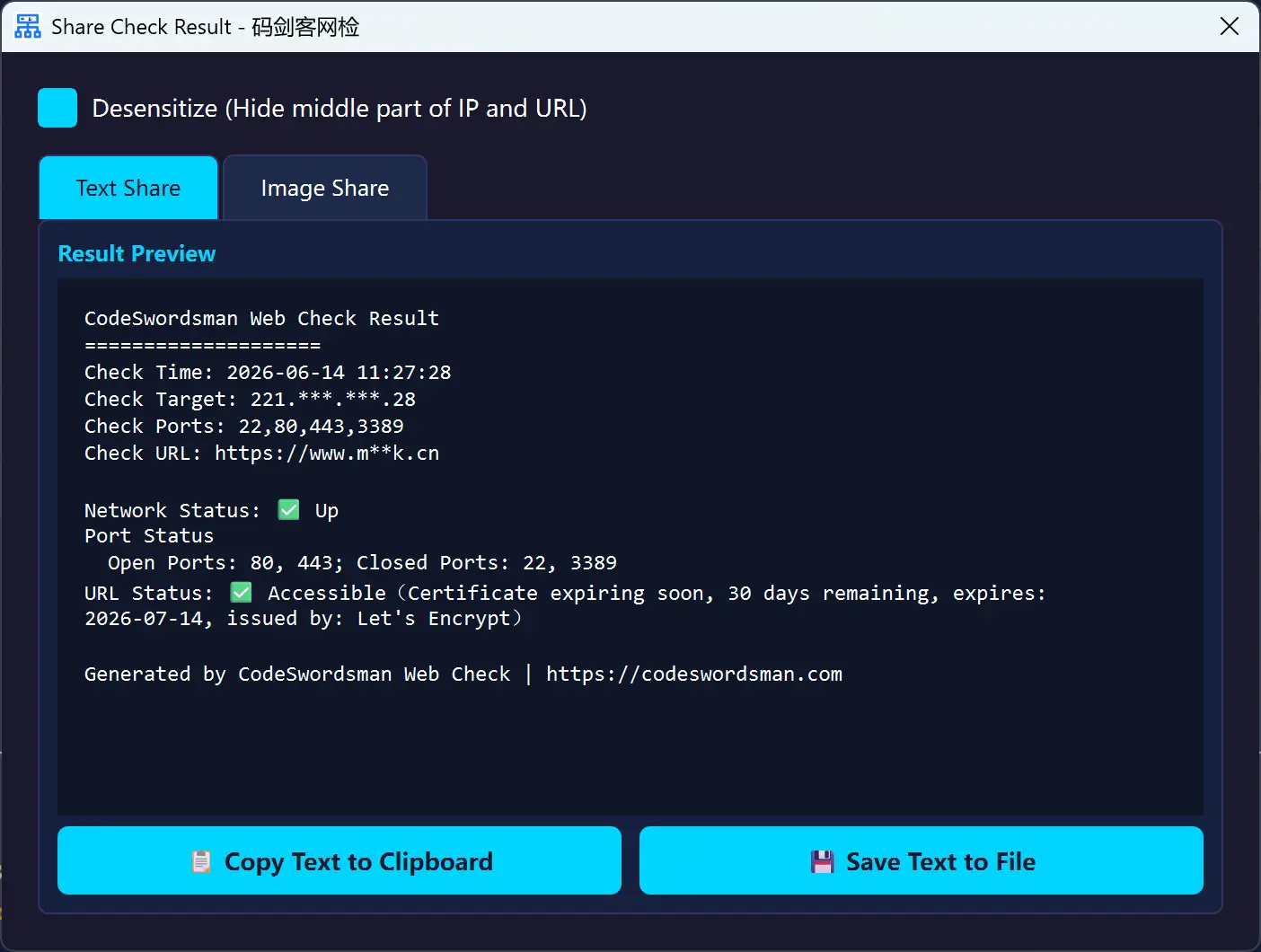
Desensitized sharing mode protects sensitive network information
Core Features
Real-time Network & Service Monitoring
24/7 monitoring for HTTP/HTTPS/TCP/SSH services with color status cards, real-time logs, and full-screen dashboard mode
Host Resource Monitoring
Track CPU, memory, and disk usage plus network throughput in real time, so bottlenecks and anomalies stand out at a glance
Smart Notification System
Send alerts via DingTalk, WeCom, Slack, Telegram, and email (SMTP)
Quick Network Detection
One-click connectivity testing for IP addresses, ports, and URLs
SSL Certificate Check
Verify SSL certificate validity including expiration date and issuer information
Batch Detection
Support batch IP and URL detection tasks, significantly improving operational efficiency
SSH Remote Reboot
Remotely reboot devices via SSH when IP is unreachable
Detection History
Automatically save detection results for easy review and comparison
Professional Result Sharing
One-click sharing with built-in desensitization mode to automatically hide sensitive information
Import & Export Monitor Configs
Export monitors and alert settings in one click and import them elsewhere, so migrations and team sharing need no repeated setup
More Free Software

CodeSwordsman Image Converter
CodeSwordsman Image Converter is a Microsoft Store official, completely free, offline usable, ad-free one-click multi-platform standard icon generation tool, supporting iOS, Android, Windows, macOS and other platform icon standard size generation, while supporting multiple image format conversion, batch processing and intelligent configuration, improving development efficiency.

CodeSwordsman File Renamer
Free offline batch file renaming software. Batch rename thousands of files with one click. Supports wildcard replacement, sequence numbering, extension modification, drag-and-drop import, and operation undo. No ads, no bundled software. Designed for file organization and office archiving.

CodeSwordsman CodeNote
A professional code snippet management desktop application supporting 16 language syntax highlights, trash bin safety net, snippet pinning, multi-format export, and multi-device sync. VS Code-style dark UI, 100% free with no ads.